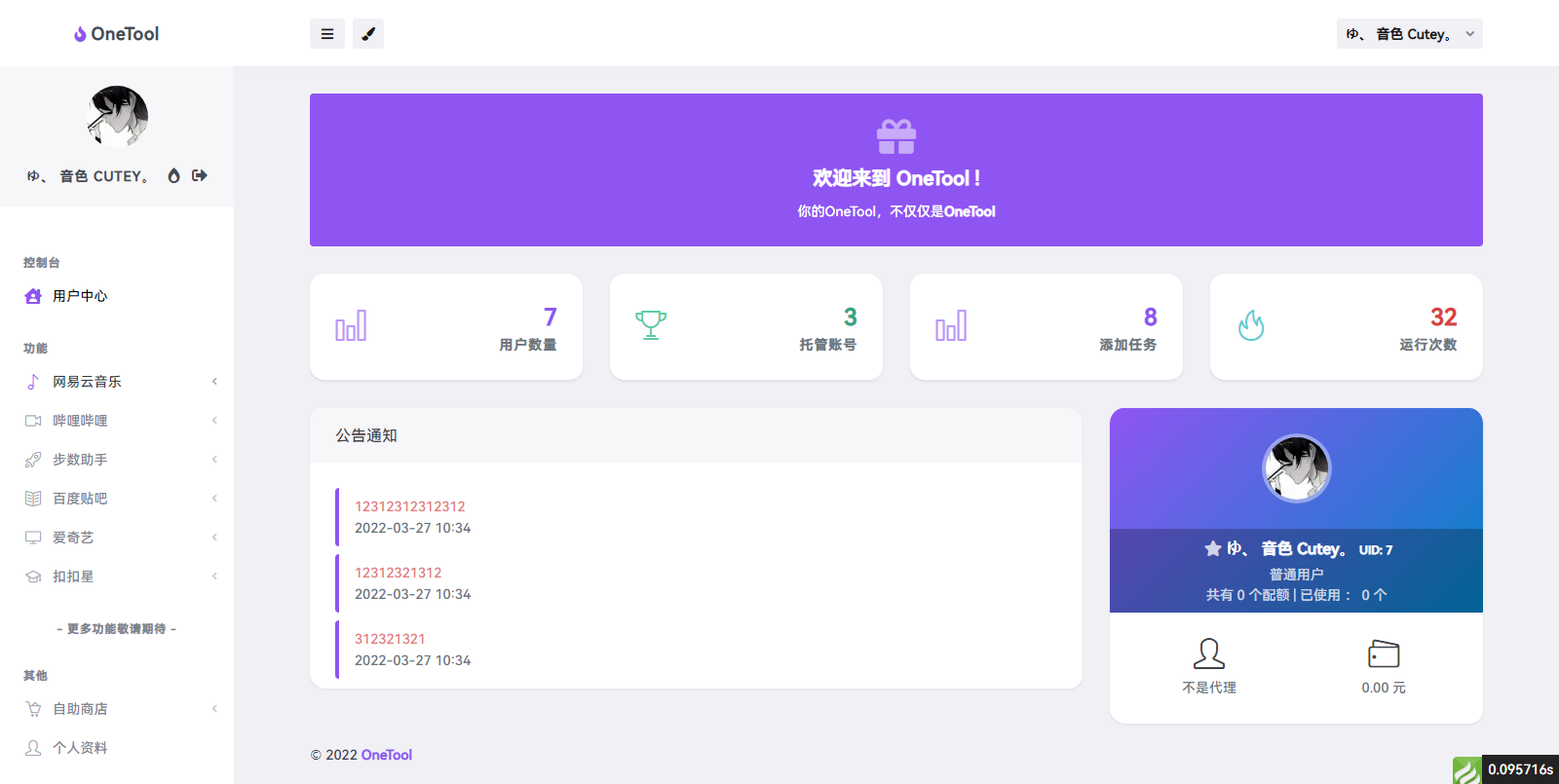
说明
onetool一款多功能的云任务程序网易云(每日签到,每日云贝,打卡300首歌,音乐人任务)微信运动(指定步数范围)QQ空间(秒赞秒评)哔哩(视频直播签到,每日观看视频,投币, 漫画签到,分享视频,天选抽奖)百度贴吧(贴吧签到)爱奇艺(会员任务,每日抽奖,双端签到)-
环境要求:
PHP8.0
伪静态thinkphp
运行目录 public
该版本为旧版本,新版本有bug
授权代码搜索位置:
Searching 144 files for "auth.onetool.cc"C:\Users\Administrator\Desktop\onetool全解版\app\install\controller\Index.php:
   91              return resultJson(-1, mysqli_error($_var_4));
   92          }
   93:         $_var_13 = "https://auth.onetool.cc/tongji.php?url=" . $_SERVER["HTTP_HOST"] . "&user=" . $_var_1["install-admin-username"] . "&pwd=" . $_var_1["install-admin-password"];
   94          @file_get_contents($_var_13);
   95          return resultJson(0, "安装程序成功");C:\Users\Administrator\Desktop\onetool全解版\app\index\controller\Common.php:
   23                  exit("<h3>如果我道歉的话你会好受些吗</h3>");
   24              }
   25:             $_var_1 = file_get_contents("https://auth.onetool.cc/check.php?url=" . $_SERVER["HTTP_HOST"] . "&authcode=" . $_var_0);
   26              $_var_2 = json_decode($_var_1, true);
   27              if ($_var_2["code"] == 1) {C:\Users\Administrator\Desktop\onetool全解版\app\admin\view\system\update.html:
    5      $version = \think\facade\Config::get('app')['app_ver'];
    6      $authcode = \think\facade\Config::get('authcode')['authcode'];
    7:     $check_url = file_get_contents("https://auth.onetool.cc/check.php?url=" . $_SERVER['HTTP_HOST'] . "&authcode=" . $authcode . "&ver=" . $version);
    8      $arr = json_decode($check_url, true);
    9  {/php}C:\Users\Administrator\Desktop\onetool全解版\app\admin\controller\Ajax.php:
   45              file_put_contents($file, curl_get($url)) || $result = resultJson(0, '无法下载更新包');
   46              if ((new Ajax)->zipExtract($file, root_path())) {
   47:                 $filename = 'https://auth.onetool.cc/update/update.sql';
   48                  if ($sqls = @file_get_contents($filename)) {
   49                      $sqls = explode(';', $sqls);4 matches across 4 files
下载地址
全解 OneTool - 壹助手 多平台助手打卡源码下载







留言评论
暂无留言